Free Tool
Free JPG to PDF
Combine one or more images into a single PDF — one image per page.
Free, private, no upload to a server. Everything happens in your browser.
All processing happens 100% in your browser — your images are never uploaded anywhere.
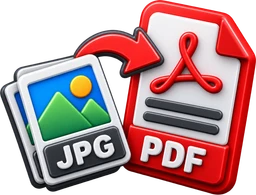
Upload 1 or more images
Reorder them before building the PDF
.jpg.png.webp
Drag & drop or click to browse, or paste an image · Max 25 MB
Everything You Need to Build a PDF
100% Private
Your images never leave your device. Everything is built locally in your browser.
Completely Free
No sign-up fees, no subscription. Free forever.
Page Size Control
Match each page to its image at 72, 150, or 300 DPI, or pick A4, Letter, or Legal in portrait or landscape.
Fit or Fill
Show the whole image inside a margin, or crop it edge-to-edge to fill the page.
Rotate & Crop
Rotate any image 90° at a time and trim its edges before it goes on the page.
Compression Control
JPG photos are kept exactly as they are by default — no re-encoding — or re-compress everything as JPEG at a chosen quality to shrink the file.