PFlix Prompter
More creating.
Less copy-and-paste.
Got a list of image ideas? Paste it once. PFlix Prompter sends your prompts to ChatGPT one at a time, waits for the images, and saves the results into an organized folder on your PC.
v1.0.0 · ZIP · 60.5 MB · Windows 10/11, 64-bit
Google Chrome and your own ChatGPT image access required. Your account limits apply.
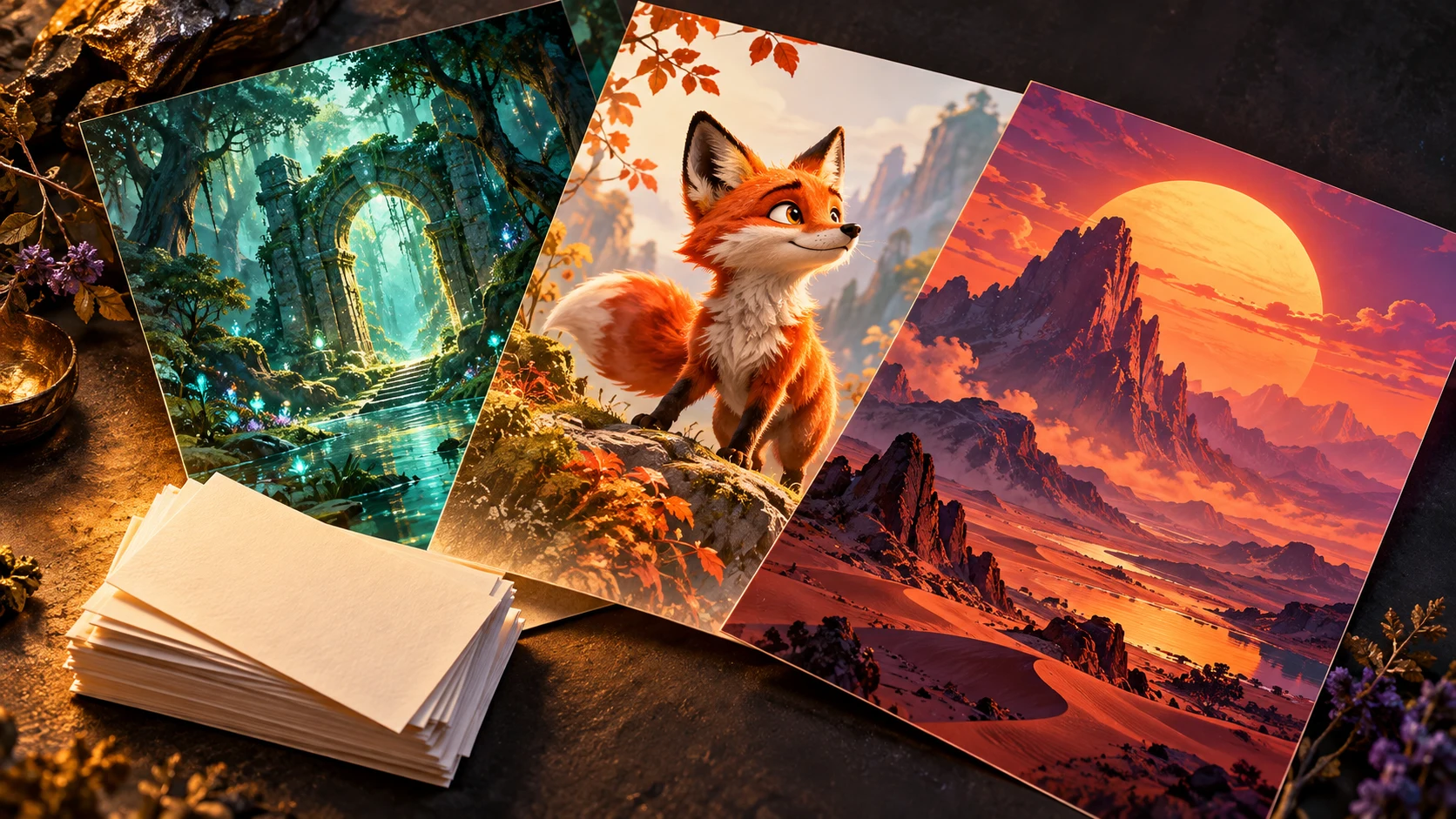
Paste once. Keep creating.
Queue a whole list instead of copying, sending and saving each prompt by hand. Prompts run one at a time.
A place for every batch.
Keep a collection together with a batch name, numbered image files and a CSV summary of your prompts.
Stay in control.
Watch the queue, pause or stop a run, retry failures, and come back to unfinished batches.
From prompt list to saved collection.
Useful for social artwork, character ideas, concept collections, illustrations and other projects with more than one image to make.
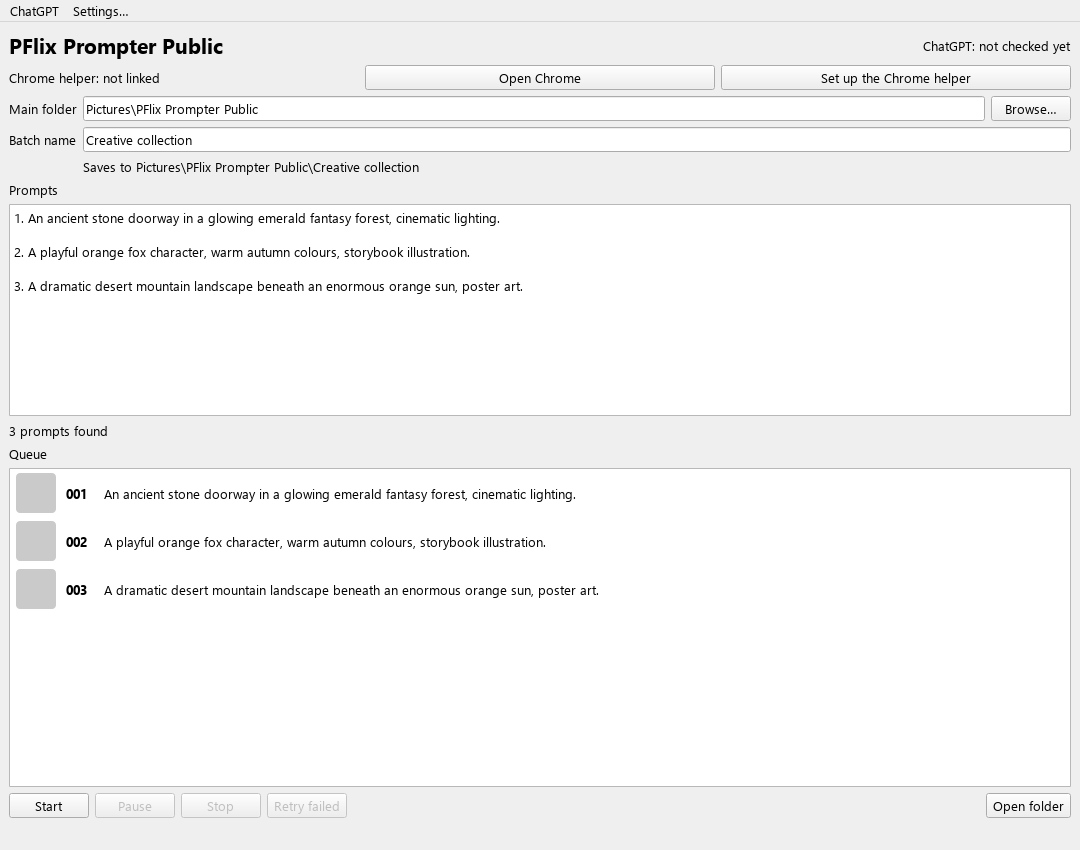
- Paste your prompts
Numbered lists, bullets, paragraphs or one prompt per line. Check the queue preview before you start.
- Name your batch
Choose a project name and where to save it. By default, images go in your Windows Pictures folder.
- Start, then follow the progress
The app works in a Chrome tab and saves finished images. Leave Chrome open and respond if ChatGPT needs your attention.
Your prompts, queue and controls.
All in one place.
Three ideas.
One creative collection.
Copy these sample prompts into the app, give the batch a name, and try it with your own ChatGPT account. Results will vary.
1. An ancient stone doorway in a glowing emerald fantasy forest, cinematic lighting.

2. A playful orange fox character, warm autumn colours, storybook illustration.

3. A dramatic desert mountain landscape beneath an enormous orange sun, poster art.
Your Chrome.
Your ChatGPT account.
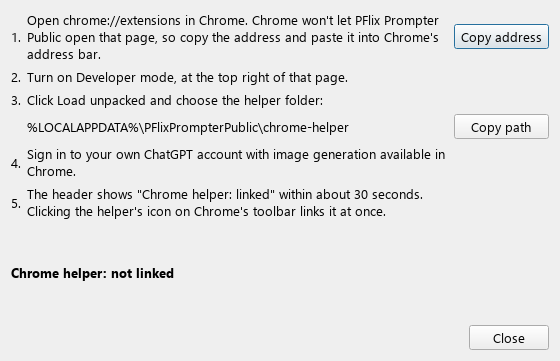
- Extract the entire ZIP and open PFlix Prompter Public.exe. Keep the included files together.
- Sign in to your own ChatGPT account in Google Chrome.
- Click Set up the Chrome helper in the app. In Chrome, open
chrome://extensions, turn on Developer mode, and choose Load unpacked. - Use the helper folder path shown in the app. Wait for Chrome helper: linked, then paste your prompts and start.
A few useful answers.
Is the app free?
Yes. PFlix Prompter is free to download and use. Your own ChatGPT account needs image generation access; any plan costs and usage limits still apply.
Do I need Python or an API key?
No. The Windows download includes the app and its Chrome helper. This edition works through ChatGPT in your own Chrome, so you do not enter an API key.
Does it include somebody else’s account?
No. The download includes no creator login, browser profile, personal settings or prompt history. Sign in to your own ChatGPT account in Chrome.
Can I pause and continue later?
Yes. Pause lets the current prompt finish before holding the queue. Stop ends the run. Start again with the same batch name to finish unfinished prompts or add more. Failed prompts can be retried.
What happens when I hit an image limit?
The app waits when it recognizes the ChatGPT image limit. It does not bypass limits, logins or verification checks. Keep Chrome and the app open, and handle account prompts yourself when asked.
Where do my images and prompts go?
Images save into a named batch folder on your PC, along with a prompts.csv summary. Prompts are sent to ChatGPT through your Chrome session. Settings and logs stay on your PC; diagnostic page snapshots may contain prompt or page content, so review them before sharing.
Is this a browser tool or a Windows download?
It is a Windows 10/11 app, 64-bit. Download and extract the full ZIP, then load its bundled helper into Google Chrome. Website changes can require an app update. This first release is unsigned and has no automatic updater.
This independent app automates the ChatGPT website. Review the current service terms for your account before using it.
Start your first image batch.
Free software. Your account. Your own creative projects.