Free Tool
Free PDF Annotator
Add text notes, comments, or labels on top of any page in a PDF.
Free, private, no upload to a server. Everything happens in your browser.
All processing happens 100% in your browser — your PDF is never uploaded anywhere.
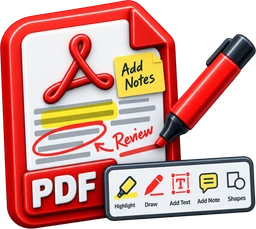
This tool adds new text on top of a page — like sticking a Post-it note on it or writing in the margin. It does not edit, replace, or reflow the PDF's existing embedded text: no PDF tool (this one included) can generally take a PDF's existing text and let you edit it the way you'd edit a Word document, because PDFs simply don't store text that way. The original page content underneath — text, images, everything — stays completely untouched; your notes just sit on top of it.
Not built yet: highlighting existing text, freehand drawing, shape/arrow annotations, and collapsible sticky-note bubbles. This first version is text notes only.
Not built yet: highlighting existing text, freehand drawing, shape/arrow annotations, and collapsible sticky-note bubbles. This first version is text notes only.
Upload a PDF
Click anywhere on a page to add a text note
.pdf
Drag & drop or click to browse · Max 50 MB
Everything You Need to Annotate a PDF
100% Private
Your PDF never leaves your device. Annotating happens locally in your browser.
Completely Free
No sign-up fees, no subscription. Free forever.
Sticky-Note Style
Add notes anywhere on any page, exactly like a Post-it, without touching what’s already there.
Click to Place
Click exactly where you want a note, then drag it to fine-tune the position.
Font Size & Color
Adjust each note’s size and pick from six preset colors.
Resizable Notes
Drag a note’s corner to control how wide it is — long notes wrap automatically.
Multi-Page
Add notes to as many pages as you need. Each page keeps its own independent list.
Honest About Limits
Adds new text on top of the page — it doesn’t edit or reflow the PDF’s existing text.
Works Everywhere
Desktop, tablet, or phone — no app required, works in any modern browser.