Free Tool
Free PDF Signature Tool
Draw or type a signature and place it anywhere on a PDF page.
Free, private, no upload to a server. Everything happens in your browser.
All processing happens 100% in your browser — your PDF and your signature are never uploaded anywhere.
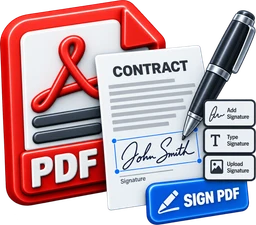
This tool adds a visual signature image to your PDF — the same as signing a printed page and scanning it back in. It is not a legally-binding cryptographic digital signature (the kind DocuSign, Adobe Sign, or certificate-based PDF signing use): there's no X.509 certificate, no PKI, and no tamper-evident seal proving the document wasn't changed after you "signed" it — anyone could copy the image and paste it elsewhere. It doesn't meet any e-signature compliance framework (eIDAS, the U.S. ESIGN Act, etc.). Use this for informal sign-offs, drafts, or personal documents. For contracts or anything that needs to be legally enforceable, use a dedicated e-signature service instead.
Upload a PDF
Then draw or type your signature and place it on any page
.pdf
Drag & drop or click to browse · Max 50 MB
Everything You Need to Sign a PDF
100% Private
Your PDF and your signature never leave your device. Everything runs locally in your browser.
Completely Free
No sign-up fees, no subscription. Free forever.
Draw or Type
Draw your signature freehand with a mouse or touchscreen, or type your name in a script font.
Drag & Resize
Position your signature exactly where you want it on the page, and resize it to fit.
Any Page
Sign the last page (the default) or jump to any page in the document.
Optional Date Stamp
Add today's date next to your signature with one checkbox.
Honest About What It Is
This adds a visual signature image, like a scanned pen signature — not a legally-binding cryptographic e-signature.
Friendly on Locked PDFs
Password-protected PDFs are detected up front with a clear message, not a confusing failure.
Works Everywhere
Desktop, tablet, or phone — no app required, works in any modern browser.